Geofencing alerts and GPS alarms for dementia support
Memory loss can make ordinary outings less predictable. A familiar walk to the shops, a visit to a neighbour or a drive to a regular appointment may become harder to plan, and families often need a calm way to know when someone has left a safe area. Geofencing alerts are one part of that picture. They use location technology to flag movement across a preset boundary, giving carers a prompt to check in rather than wait until much later.
A GPS alarm for dementia is often discussed alongside these alerts. The term usually covers a wearable or carried device that can share location information and, in some systems, let the wearer call for help. The useful question is not whether a device can show a dot on a map. It is whether the whole setup fits the person's routine, respects their dignity and gives the family a clear next step when something looks wrong.
What a geofence is
A geofence is a virtual boundary around a place. It does not need a physical post or fence. It is set in an app or monitoring platform using a map, with a centre point and a radius. Common choices include the home, a rest home, a day programme, a family member's address or the block where someone lives.
When a connected device enters or leaves that boundary, the system can send an alert. Some setups focus on exits, because the main concern is someone travelling beyond a familiar place. Others can also notice arrivals, which can be useful when a person is expected somewhere at a set time. Location checks may be automatic at intervals, triggered by a request, or linked to an SOS button.
The boundary is not a wall. Crossing it does not stop anyone from walking or driving. It simply creates a signal. That distinction matters for families trying to balance safety with independence. A well chosen alert can support a person to keep doing everyday things, while giving others a timely cue to check whether they are fine.
How the alert reaches a carer
Most systems rely on a few connected parts. The wearer carries or wears a device with location capability. That device communicates over a mobile or other wireless network. A service or app receives the location data and applies the rules set for the geofence. If the rules are met, a notification goes to a nominated person or carer.
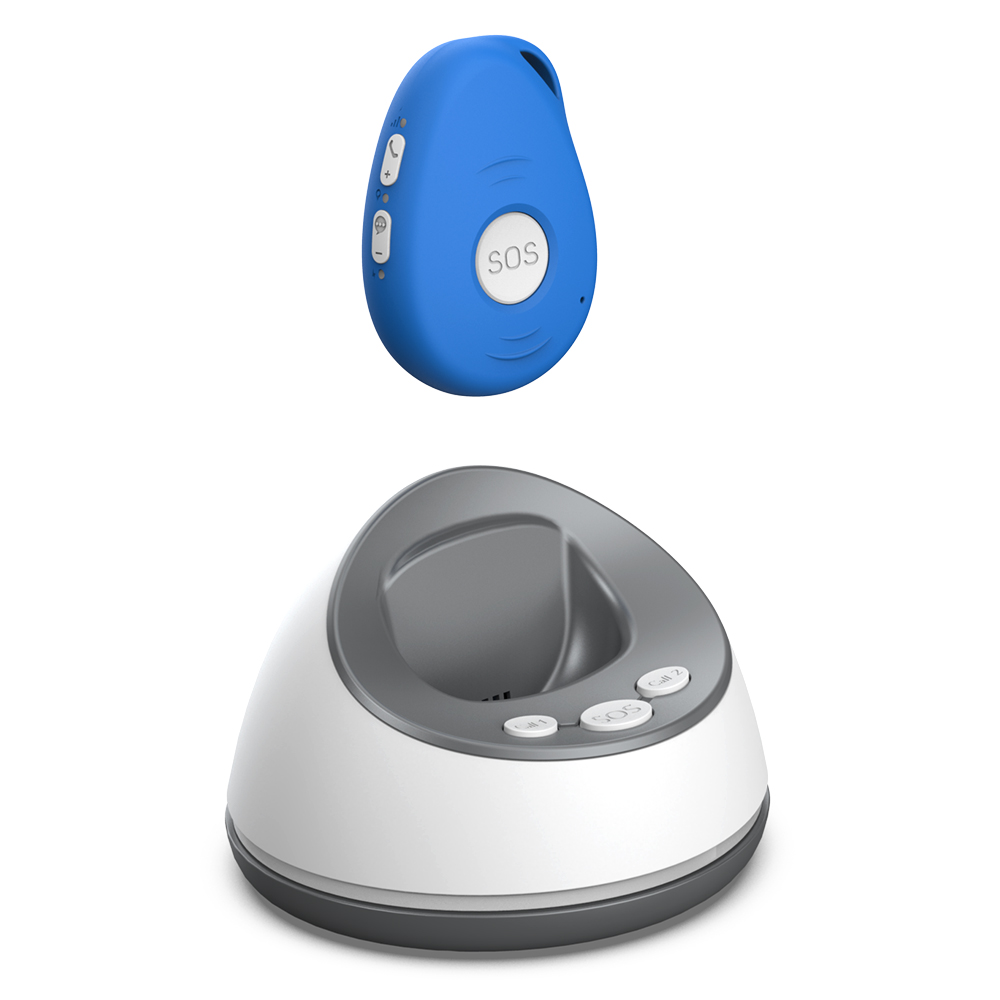
The alert may include a map position, a time and the name of the boundary that was crossed. Some devices add two-way calling, so the carer can speak with the wearer without needing a separate phone. Familyr Medical Alarms is one name in this space, with wearable medical alarms in New Zealand that include SOS alerts, fall detection, GPS location checks and two-way calling without a monthly monitoring fee.
That combination shows why location is only one feature to consider. A location alert tells a carer that a boundary event happened. An SOS function gives the wearer a direct way to ask for help. Fall detection may raise an alert if a fall is suspected. Two-way calling can reduce guesswork, because a brief conversation may confirm whether the person is lost, delayed or simply out for longer than planned.
Why boundaries need careful setting
A geofence that is too tight creates noise. If the boundary sits just outside the front gate, a person stepping onto the footpath may trigger a message. Repeated false alerts can lead carers to ignore notifications, which defeats the purpose. A boundary that is too wide may miss the early signs of a problem, especially in a busy street or rural area.
The shape of the day matters. Someone who walks the same block each morning may be distressed by an alert every time they cross the edge of that route. In that case, a wider home zone or a schedule may make more sense. A person who rarely leaves home without a family member may need a smaller zone and a prompt response plan.
Accuracy also varies. GPS location can be less reliable indoors, between tall buildings, in dense tree cover or when a device has a weak connection. Location may show the last known point rather than a live position. Carers should treat the map as a guide, not a precise address. A short delay between movement and notification is another practical detail, particularly if network coverage is patchy.
What it means day to day
For many families, the value of geofencing is the earlier cue. Instead of discovering that someone is missing after a planned activity should have ended, a carer may see that they left a familiar area and can make contact while the trail is still fresh. That can reduce stress and help the person return with less confusion.

It can also support shared care. When siblings, partners or other relatives take turns, clear alert settings mean everyone knows what a notification means. One person might respond to exit alerts during the day, while another checks messages in the evening. Without that agreement, a device can create confusion rather than reassurance.
The person with memory loss should be part of the decision where possible. Some people welcome a safety net. Others feel watched or embarrassed by a wearable device. A plain explanation, a comfortable design and a consistent routine can matter as much as the technical features. If the device is distressing, it may be left at home, and then the alert system loses its purpose.
Questions to ask before relying on alerts
Geofencing works best when the family has already decided what to do after an alert. A notification at a phone is not a rescue plan. The response depends on where the person might go, how they travel, who can check nearby places and when emergency help is needed. Thinking through those points early makes the alert easier to act on calmly.
Useful questions include:
- Which places should have a boundary, and how large should each one be?
- Who receives an alert at different times of day?
- What should happen if the first call is not answered?
- How will carers check location history if the device goes offline?
- Could the person tolerate wearing or carrying the device every day?
There are limits that no alert can remove. A geofence may not detect that someone is confused while still inside the boundary. It may not show why they left or where they intended to go. It also cannot replace supervision when a person's judgement changes quickly. Families may need several layers, such as routine, verbal reminders, door cues, transport planning and community support.
Making the system fit the person
Start with the real pattern of life rather than the technology. Note the places the person knows, the routes they take and the times when confusion tends to rise. If they often head to a previous home or workplace, those destinations may be more relevant than the current address alone. If they walk early, alert settings and response arrangements need to suit early hours.

Familyr Medical Alarms fits into this discussion as an example of the kind of wearable alarm category that combines location checks with SOS alerts, fall detection and two-way calling. The practical fit still depends on the person's habits and the family's ability to respond. A device with several features is not automatically better if it is uncomfortable, confusing or left in a drawer.
Review the setup after changes in routine. A move house, a new walking route, a change in mobility or a shorter stay with relatives can all make an old boundary unreliable. Check that contact details are current, that the wearer knows how to call for help and that carers understand which alerts need urgent action. Small reviews prevent a system from slowly becoming out of date.
Used with care, geofencing alerts turn location data into a prompt for human contact. That is the point. The technology notices a change, then a family member or carer can respond in a way that suits the person. For dementia support, that balance of earlier awareness and respectful contact can make daily life feel less uncertain.